How to Build Your First App With Vibe Coding
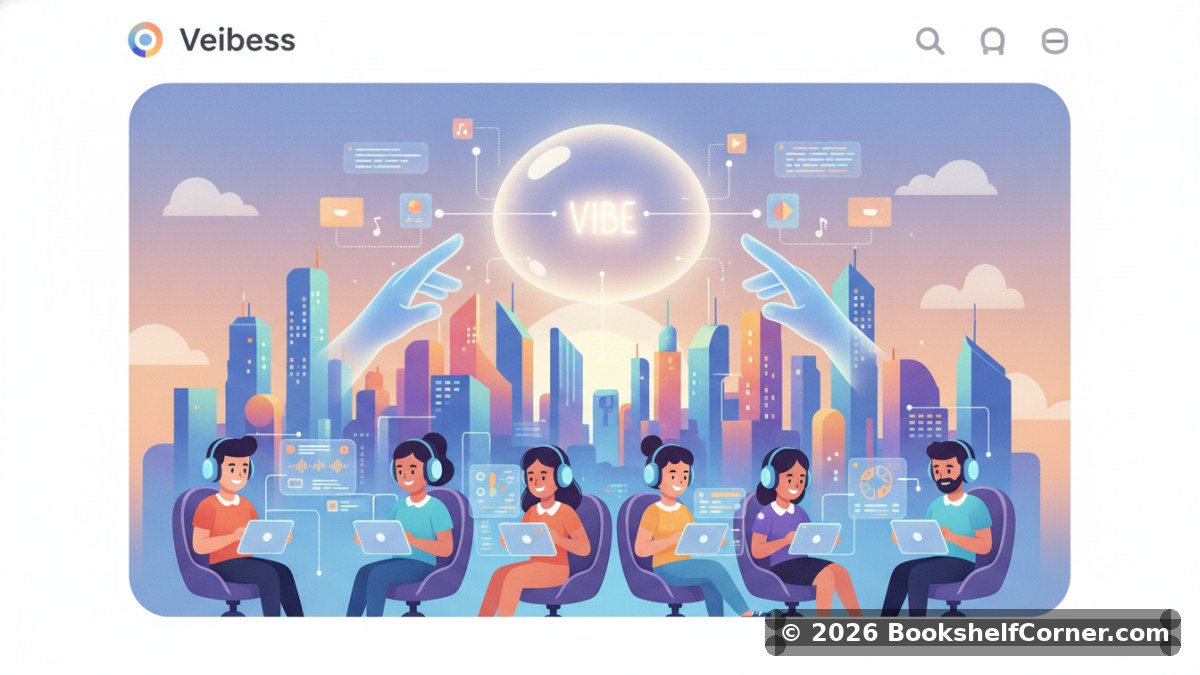
Imagine describing your dream app in plain English and watching it come to life — no computer science degree required, no Stack Overflow rabbit holes, no tears over a missing semicolon. That's the magic of vibe coding, a fast-growing development philosophy where you lean into AI tools, gut instinct, and rapid iteration to build software. Whether you're a complete beginner or a creative professional with zero coding background, vibe coding might just be your entry point into the world of app development. Let's walk through how to build your very first app using this approach.
What Exactly Is Vibe Coding?
Vibe coding is a term popularized in tech circles to describe the practice of building software primarily through AI-assisted generation, natural language prompts, and intuitive experimentation rather than writing every line of code from scratch. Tools like ChatGPT, GitHub Copilot, Cursor, and Replit's AI assistant have made it possible to describe what you want and receive working code almost instantly.
The "vibe" part is intentional — it's about feeling your way through the build process, testing ideas quickly, breaking things, fixing them, and iterating fast. It's less about mastering syntax and more about having a clear vision and knowing how to communicate it to an AI.
Step 1: Define Your App Idea Clearly
Before you open any tool, spend time clarifying exactly what your app should do. The more specific your vision, the better results you'll get from AI assistants. Ask yourself:
- What problem does my app solve?
- Who is the target user?
- What are the core features (keep it to 2–3 for your first version)?
- What should the app look like — simple, clean, colorful?
For example, instead of thinking "I want a productivity app," refine it to: "I want a simple daily to-do list app where users can add tasks, check them off, and see a motivational quote each morning." That specificity becomes your prompt fuel.
Step 2: Choose Your Vibe Coding Tools
Not all AI tools are created equal, and the right choice depends on your comfort level and app type. Here are some popular options for beginners:
- Replit + Replit AI: Great for beginners. You can write, run, and deploy code in the browser with AI suggestions built in.
- Cursor: A powerful AI-first code editor that feels like coding with a co-pilot by your side at all times.
- Bolt.new: Excellent for spinning up full-stack web apps from a single prompt with minimal setup.
- ChatGPT or Claude: Perfect for generating code snippets, explaining errors, and brainstorming architecture.
For your first app, Replit or Bolt.new are highly recommended because they handle hosting and environment setup automatically — one less thing to "vibe" through.
Step 3: Write Your First Prompt
Your initial prompt sets the tone for everything. Open your chosen tool and describe your app as if you're explaining it to a smart friend. Include the tech stack if you have a preference (e.g., "use HTML, CSS, and JavaScript" or "build this with React"), but if you don't know, just describe the functionality and let the AI decide.
A strong first prompt might look like this: "Build a simple web app where users can add daily tasks to a list, mark them as complete, and delete them. Use a clean, minimal design with pastel colors. No login required."
Hit generate, and let the magic happen. You'll likely get a working prototype in seconds.
Step 4: Iterate, Break Things, and Fix Them
This is the heart of vibe coding. Your first output won't be perfect — and that's completely fine. Review what the AI generated, test it, and start making requests to improve it. This is where beginners often shine, because there's no ego about the code. You simply describe what's wrong or what you want changed:
- "The delete button isn't working. Fix it."
- "Make the font larger and add a header that says 'My Daily Tasks'."
- "Add a counter that shows how many tasks are left to complete."
Each iteration sharpens your app and, gradually, sharpens your instincts about how software works. You'll start absorbing patterns without even trying.
Step 5: Deploy and Share Your App
Once you're happy with a working version, it's time to get it live. Tools like Replit, Netlify, and Vercel offer free deployment for small projects. Simply follow the platform's publish instructions — most involve clicking a single button — and you'll have a shareable link within minutes.
Share it with friends, post it online, and gather feedback. Real-world reactions are the best learning tool you have.
Common Vibe Coding Pitfalls to Avoid
Over-complicating the first version
Resist the urge to add ten features at once. Build the simplest possible version first, then layer on complexity. This is called an MVP — Minimum Viable Product — and it's how successful apps are born.
Skipping error messages
When something breaks, copy the exact error message and paste it back into your AI tool. Error messages are clues, not dead ends. AI assistants are remarkably good at diagnosing and fixing them.
Not saving your progress
Use version control (most platforms offer this automatically) or simply keep notes on what works. It's easy to accidentally break something good while trying to improve it.
Keep Learning as You Build
Vibe coding is a phenomenal starting point, but pairing it with foundational knowledge will accelerate your growth significantly. If you enjoy learning through reading, exploring ebooks on topics like web development fundamentals, UX design, and product thinking can give your intuition a powerful theoretical backbone. At Bookshelf Corner, you'll find a curated selection of indie digital books from independent authors covering tech, creativity, and entrepreneurship — perfect companions for your coding journey.
Building your first app with vibe coding isn't just achievable — it's genuinely exciting. You don't need to know everything before you start. You just need a clear idea, the right tools, and the willingness to iterate boldly. The best app you'll ever build starts with a single prompt. So open that blank screen, describe your vision, and let the vibe take over.
Related Books
The 1% Student: Small Daily Habits That Build an Extraordinary Academic Life
Arskan. G

Stack and Succeed: The Busy Professional's Guide to Building Habits That Actually Last
Arskan. G

The Adaptive Mind: Harnessing Brain Science for Lasting Positive Change
Arskan. G

Steady Ground: Daily Habits for a Calmer, More Resilient Mind
Arskan. G
Digital Products for Beginners: From Idea to Profitable Launch
Arskan. G
Looking for quality ebooks from independent authors?
Thousands of titles, personal watermark, read online or download.
Browse Catalog →